
On this page
How to play Minesweeper
To win Minesweeper, open every safe square on the board without detonating a hidden mine; you do not have to flag every mine to finish the round.
Your first click and safe opening
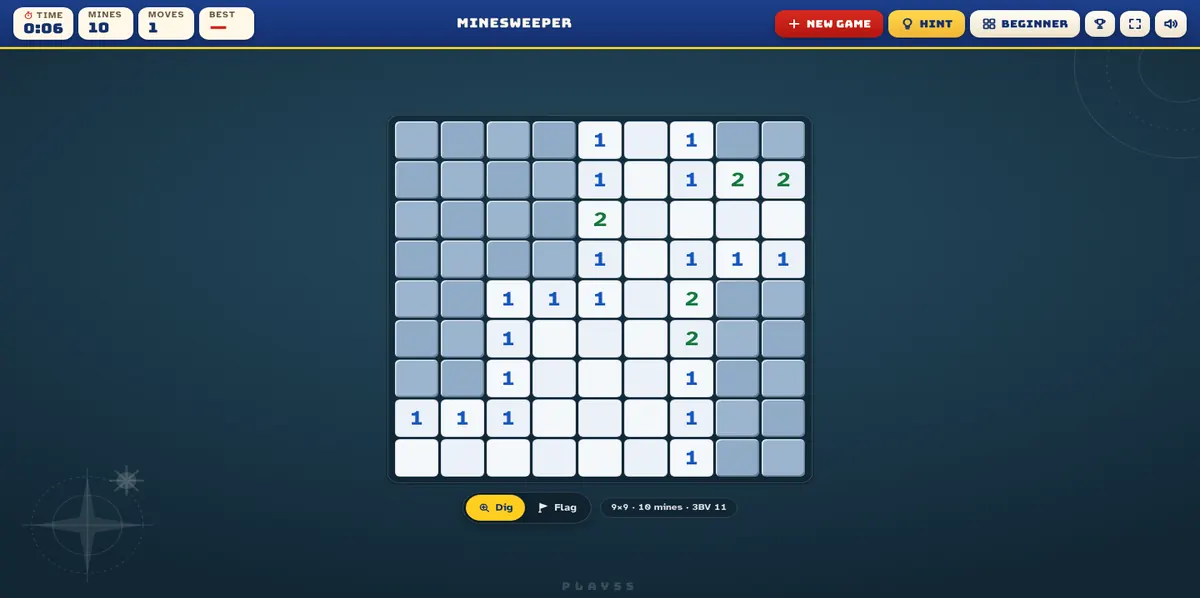
Every round begins with a grid of covered tiles. In Play5s Minesweeper, your first click is always safe and clears a 3×3 mine-free zone around the square you pick, so the board immediately cascades open into a cluster of empty cells bordered by number clues.
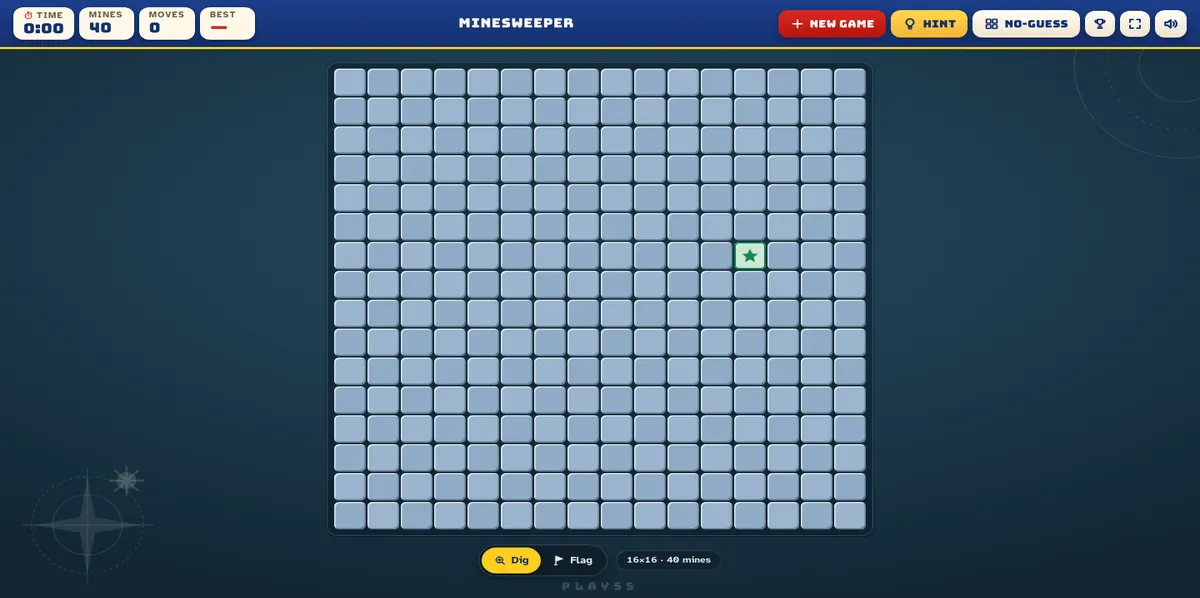
On the Daily Minesweeper your first tap goes on the green star, so every player gets the same board from the same square; in No-Guess mode the star marks the recommended start, though any first square works there.
 Zoom in
What the numbers mean in Minesweeper
Each uncovered number from 1 to 8 counts how many mines occupy the eight immediately adjacent squares—up, down, left, right and the four diagonals. A blank open square means zero adjacent mines, which is why touching a blank automatically clears every connected zero square and its numbered edge.
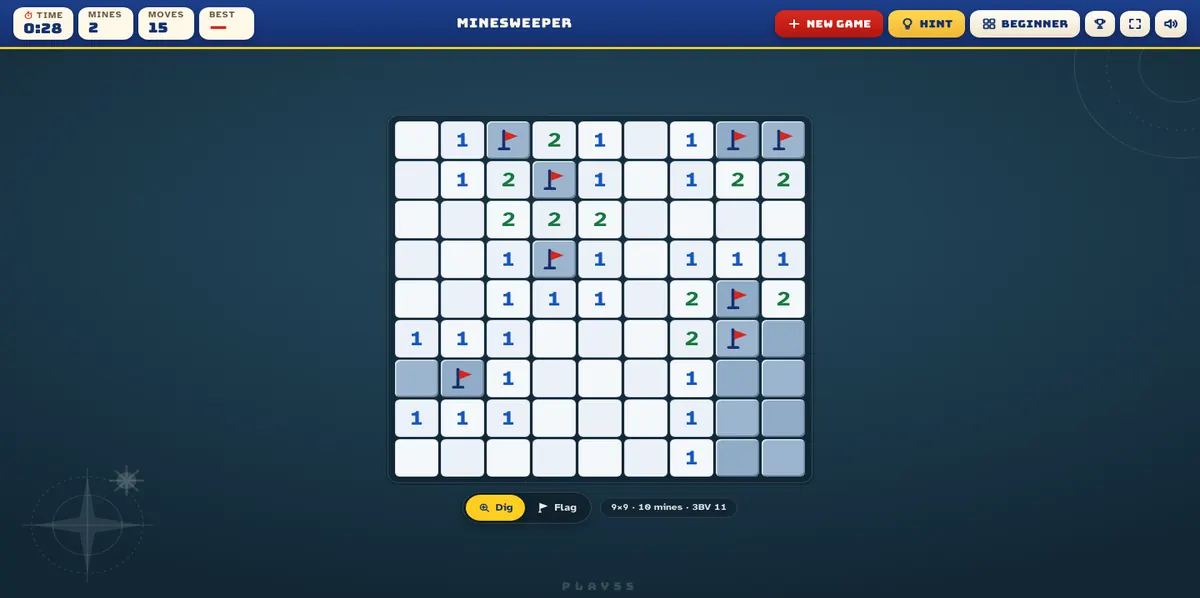
A corner square has only 3 neighbors, an edge square has 5, and an interior square has 8. Comparing two neighboring numbers is how you narrow down which covered squares are mines and which are safe.
 Zoom in
Flagging mines and chording
Place a flag on any covered square you have deduced holds a mine. Flagging locks that square against an accidental dig tap and lowers the Mines counter in the top bar by one.
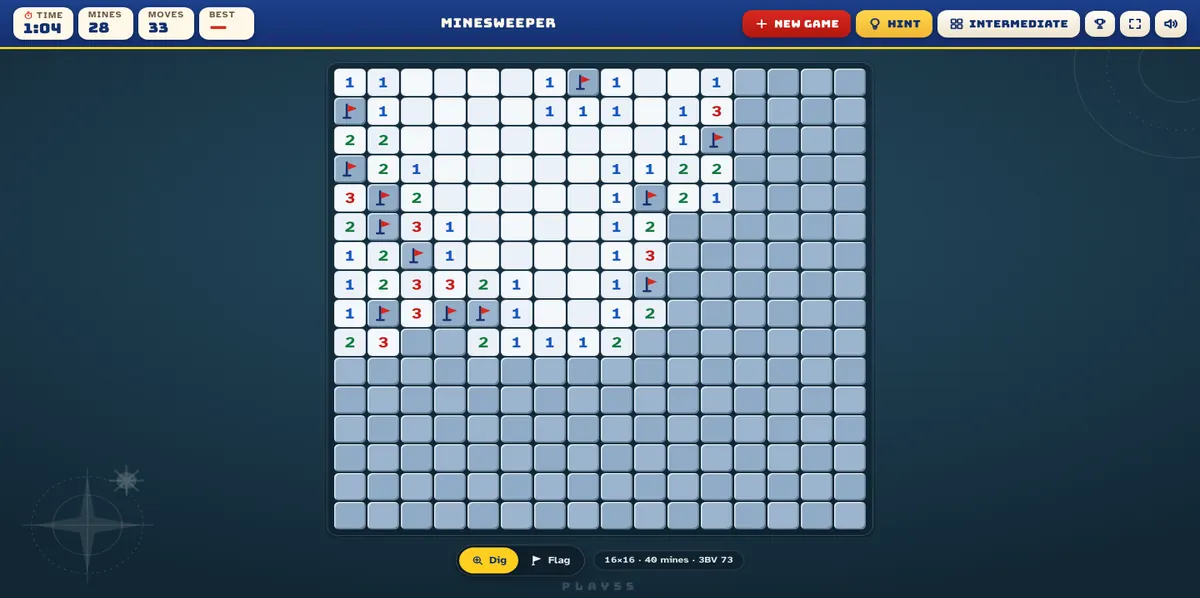
Once a revealed number has that exact count of flags touching it—for example, a 2 touching two flags—you can chord by clicking or tapping the number itself. Chording opens all remaining unflagged neighbors around that number in a single move. If one of your flags is misplaced, chording will uncover the real mine and end the round, following standard rules.
 Zoom in
How a game ends
You win the instant every safe square is uncovered; any unflagged mines are flagged automatically so the Mines counter drops to 0. If you dig into a mine (or chord with a wrong flag), the detonated mine lights up in red, every other mine on the grid is revealed, and misplaced flags are crossed out so you can inspect the mistake before pressing Play again.
Difficulty levels and No-Guess mode
Play5s includes the three classic Minesweeper board sizes plus a dedicated No-Guess mode where every puzzle can be solved from start to finish using pure logic.
Beginner, Intermediate and Expert
Beginner is a 9×9 grid with 10 mines (81 squares, about 12.3% mine density). Intermediate is 16×16 with 40 mines (256 squares, 15.6% density). Expert is 30×16 with 99 mines (480 squares, 20.6% density). These are the exact dimensions standardized in Windows Minesweeper and used on international timing boards.
On a portrait phone, the 30×16 Expert grid rotates automatically into a vertical 16×30 layout using the exact same canonical coordinates and neighbor structure, so tiles stay large enough to tap cleanly without sideways scrolling.
No-Guess mode: pure logic, zero 50/50 coin flips
In classic random Minesweeper, even an expert player occasionally hits a late-game 50/50 guess where two covered squares are mathematically indistinguishable. No-Guess mode (16×16, 40 mines) runs a deterministic logic solver—using single-cell rules, subset subtraction, connected-frontier backtracking and remaining-mine counting—to verify that every single square can be deduced without ever guessing.
The board generator uses a seeded perturbation method inspired by Simon Tatham’s Mines (opens in a new tab): when a candidate layout stalls the solver, mines are shifted deterministically out of the ambiguous frontier until the entire board resolves by logic alone.
 Zoom in
Daily Minesweeper, 3BV and leaderboards
Minesweeper leaderboards on Play5s are ranked by fastest completion time (fewer seconds wins), with a solvable Beginner Daily Minesweeper and separate all-time boards for all four modes.
Ranking and server time
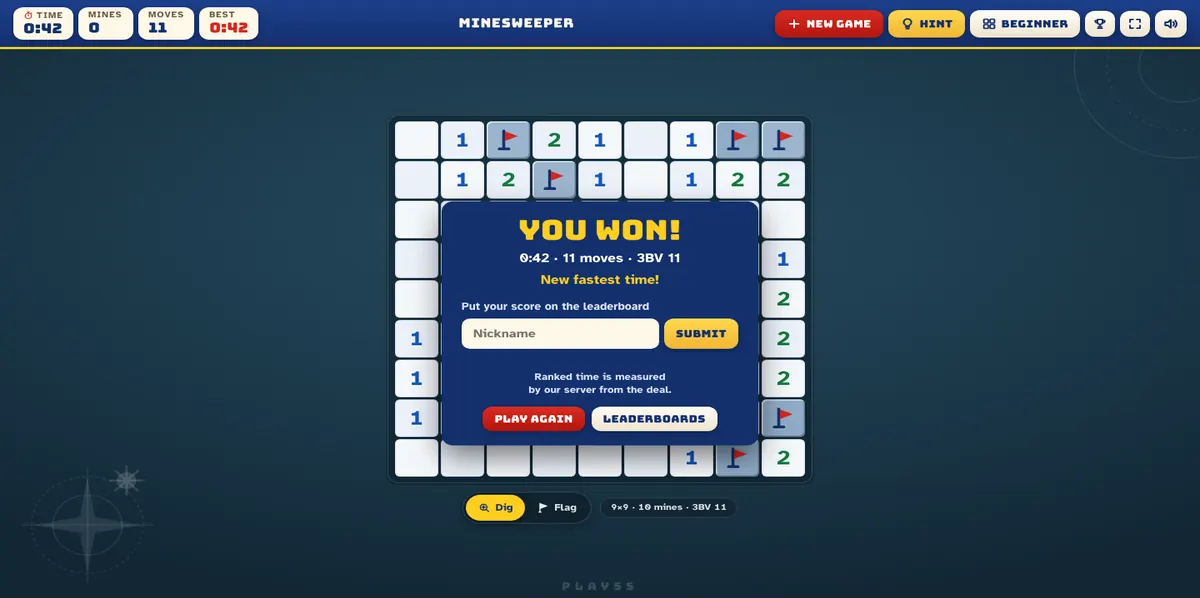
Only won games can be submitted to a leaderboard. Ranking is ordered by shortest time in seconds; if two players finish in the same second, whoever submitted first holds the higher spot. The Moves column shows how many opens, chords and flag toggles you used.
Ranked time is measured by our server from the start of the deal, not from your local browser clock. When you submit a win with a nickname of 2 to 12 characters (offensive names are refused; no account is needed), the server replays your entire move log through the exact same seeded engine to verify every open, flag and chord leads to a legal win.
 Zoom in
Daily Minesweeper and 3BV complexity
The Daily Minesweeper is a Beginner (9×9, 10 mines) board that resets at midnight New York time, and every daily seed is checked in advance to be 100% logically solvable from the green star starting square. Because our server hands out the daily seed, Daily Minesweeper needs an internet connection. Each connection gets one ranked Daily Minesweeper result per day; replaying the daily board after that is recorded as practice.
Each generated board also displays its 3BV (*Bechtel’s Board Benchmark Value*): the theoretical minimum number of left-clicks needed to clear the board without placing flags. A higher 3BV means a more fragmented board with fewer big zero-cascades.
Minesweeper patterns and strategy tips
Learning a few recurring Minesweeper number patterns—especially 1-1 on a wall, 1-2-1 and 1-2-2-1—lets you solve most Intermediate and Expert boards quickly without slowing down.
- The 1-1 wall pattern: When two 1s sit side by side along a flat wall of covered squares and the outer 1 only touches two covered cells, the third covered cell past the inner 1 is always safe.
- The 1-2-1 pattern: Along a straight frontier, a 1-2-1 sequence always has mines in front of the two 1s and a safe square directly in front of the 2.
- The 1-2-2-1 pattern: Along a straight frontier, mines always sit directly in front of the two middle 2s, while the squares in front of the outer 1s are safe.
- Subtract flagged mines mentally: Treat a 3 that already touches two flags as a 1—every classic 1-2-1 or 1-1 pattern applies to *effective* numbers after subtracting flags.
- Use chording to save clicks: Flag mines that border several numbers and chord around them; skip flagging isolated mines in corners if opening the remaining safe square is faster.
- Watch the remaining-mine count at the end: When only a handful of mines remain, the global Mines counter can prove whether an unrevealed pocket holds zero mines or is packed completely solid.
- Use the Hint button to learn logic: Pressing Hint runs the built-in logic solver without peeking at hidden mines and highlights a square that is 100% deducible from the open numbers.
Controls: mouse, touch and keyboard
Play with a mouse on desktop, touch controls with a one-tap Dig / Flag toggle on phones, or full keyboard navigation.
Mouse and touch controls
With a mouse: left-click opens a covered square or chords a satisfied number; right-click places or removes a flag; middle-click also chords a revealed number.
On a phone or tablet: tap a square using the Dig / Flag switch right below the board, or long-press any covered square to toggle a flag without switching tools. Tapping a revealed number whose adjacent flags match its count chords in either tool mode.
Buttons and keyboard shortcuts
The HUD displays your Time, remaining Mines, Moves and Best time for the active difficulty. New starts a fresh grid (asking first if a round is underway), Hint highlights a logically proven safe tile, mine or chord, Mode cycles through Beginner, Intermediate, Expert and No-Guess, the trophy opens leaderboards, Full screen maximizes the grid, and the gear (Settings) button opens the switches for synthesized Web Audio sound effects and optional background music.
- Arrow keys: move focus across the grid
- Enter or Space: open the focused tile (or chord a satisfied number)
- G or Shift+Space: place or remove a flag on the focused tile
- X: switch between Dig and Flag tap mode
- H: highlight a logical hint
- N: start a new game
- F: full screen on or off
- M: sound effects on or off
Minesweeper terms
Minesweeper players use a concise set of terms for openings, quick clears and board complexity.
- Opening (cascade): A connected region of zero-mine cells that opens automatically from one click along with its numbered border.
- Flag: A red marker placed on a covered square to mark a deduced mine and block accidental digs.
- Chording: Clicking or tapping a revealed number whose adjacent flag count matches its value to open all remaining unflagged neighbors simultaneously.
- Frontier: The ring of covered squares touching at least one revealed number.
- 50/50: A situation on a random board where two covered cells have equal mine probability and logic cannot separate them—eliminated in No-Guess mode.
- 3BV (Bechtel’s Board Benchmark Value): The minimum number of left-clicks required to clear a board without flags, measuring structural complexity.
- NF (Non-Flagging): A speedrunning style where the player clears the entire board without placing any flags.
History of Minesweeper
Minesweeper as most people know it is Microsoft Minesweeper, first released in the Microsoft Entertainment Pack 1 in 1990 and bundled with Windows 3.1 in 1992; the exact origin of the minefield idea is unclear.
Earlier minefield games existed, such as *Mined-Out* (1983, by Ian Andrew for the ZX Spectrum), and Wikipedia notes that the origin of the genre is unclear. Curt Johnson created Microsoft Minesweeper, originally for IBM OS/2, and Robert Donner ported it to Windows; it first shipped in the *Microsoft Entertainment Pack 1* in 1990 (see Microsoft Minesweeper (opens in a new tab) on Wikipedia).
In 1992, Microsoft bundled Minesweeper directly into Windows 3.1 (replacing Reversi), cementing the classic 9×9, 16×16 and 30×16 grids that players still compete on today (see Minesweeper (video game) (opens in a new tab) on Wikipedia). Modern logic-verified variants such as Simon Tatham’s Mines (opens in a new tab) popularized guaranteed no-guess generation.
Minesweeper questions
Is the first click always safe in Minesweeper?
Yes. On Play5s Minesweeper, mines are placed deterministically after your first click so the square you tap—and all eight squares around it—are always free of mines, guaranteeing an open starting area.
What do the numbers mean in Minesweeper?
Each number from 1 to 8 tells you the exact count of hidden mines in the eight squares immediately touching that tile horizontally, vertically and diagonally.
Do I have to flag every mine to win?
No. You win as soon as every safe (non-mine) square is open. Any mines you left unflagged are automatically flagged when you clear the final safe square.
What is chording in Minesweeper?
Chording means clicking or tapping an already-open number after you have placed that exact number of flags around it. All remaining unflagged neighbors open at once—unless a flag is in the wrong place, which detonates a mine.
How does No-Guess mode work?
No-Guess mode uses a 16×16 grid with 40 mines and runs a deterministic logic solver during board generation to ensure every single tile can be deduced from your opening click without ever facing a 50/50 coin flip.
What are the standard Minesweeper grid sizes?
Beginner is 9×9 with 10 mines, Intermediate is 16×16 with 40 mines, and Expert is 30×16 with 99 mines. On portrait phones, Expert automatically rotates to 16×30 so every tile stays easy to tap.
How are Minesweeper leaderboards ranked?
Leaderboards rank won games by fastest server-measured time (fewer seconds is better); ties go to whoever submitted first. Each of the four modes has an all-time board, plus a separate Daily Minesweeper board.
What is the Daily Minesweeper?
The Daily Minesweeper is a Beginner (9×9, 10 mines) board shared by all players each day, resetting at midnight New York time. Everyone starts on the green star square, and every Daily Minesweeper is verified solvable without guessing from there. It requires an internet connection, and each connection gets one ranked result per day.
What is 3BV in Minesweeper?
3BV stands for Bechtel’s Board Benchmark Value: the minimum number of clicks needed to solve a board without using flags. Play5s shows each board’s 3BV in the bar below the grid and on the win screen.
Does Minesweeper save my progress?
Yes. Your active board, move log, elapsed time and personal best times are stored locally in your browser on this device. Clearing browser storage removes them.
Can I play Minesweeper on my phone?
Yes. Use the Dig / Flag toggle under the board or long-press any covered tile to flag, tap any satisfied number to chord, and play Expert cleanly in vertical 16×30 orientation.
About this version
This Minesweeper was built by Play5s to run in any modern web browser. It implements the classic Beginner (9×9/10), Intermediate (16×16/40) and Expert (30×16/99) rules alongside a solver-verified No-Guess mode (16×16/40), chording, 3BV tracking, custom SVG flags and mines, and Web Audio sound effects.
There is nothing to install and no account to create. Your game in progress is kept in your browser. Starting a ranked game asks our server for a deal and a ticket; your moves and nickname are sent only when you submit a score.
Read more about Play5s, or see all of our free puzzle games.