
On this page
How to play Spiderette
To win Spiderette, build four runs from King down to Ace, each in a single suit, until all 52 cards have left the tableau.
The setup
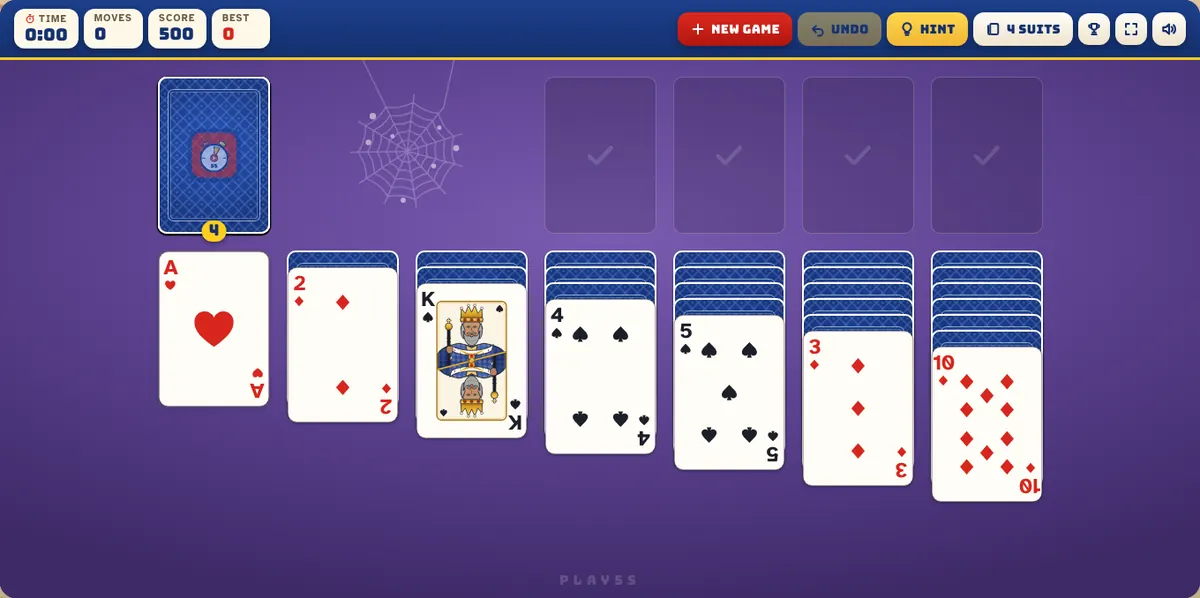
The deal follows the Klondike layout: seven columns holding one to seven cards, 28 cards in all, with only the last card of each column face up. The other 24 cards form the stock, at the top left.
At the top right are four empty spaces. A run that you finish is moved there automatically.
 Zoom in
Building and moving cards
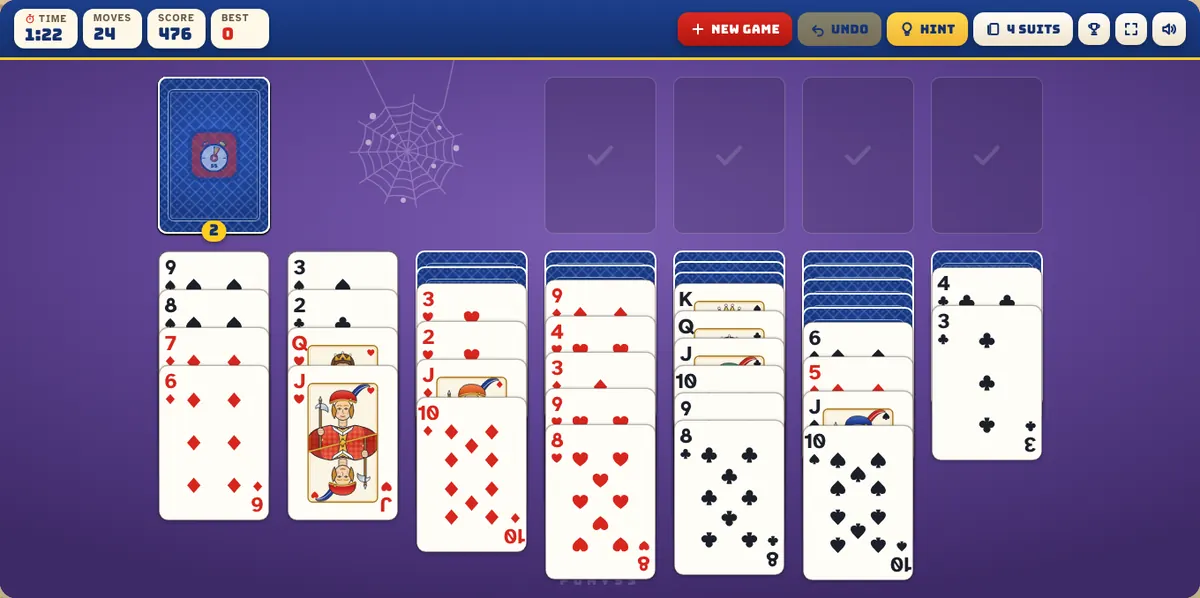
You build down in rank, and the suit does not matter when you place a card: a 6 of hearts can go on a 7 of spades. The suit matters when you pick cards up. You can lift a group only if it is a run, meaning face-up cards of one suit in unbroken descending order, such as the 9, 8 and 7 of spades. A single card of any suit can always be moved.
You cannot build on an Ace, so a King can never be placed on one; only a deal from the stock can cover an Ace. In the Play5s version only a same-suit run moves as a group. Other sites describe this differently: Solitaired says a group moves as long as it is in descending order in any suit, while BVS Solitaire, Solitaire City and Semicolon Software require one suit, as Spider does.
 Zoom in
Turning cards over and empty columns
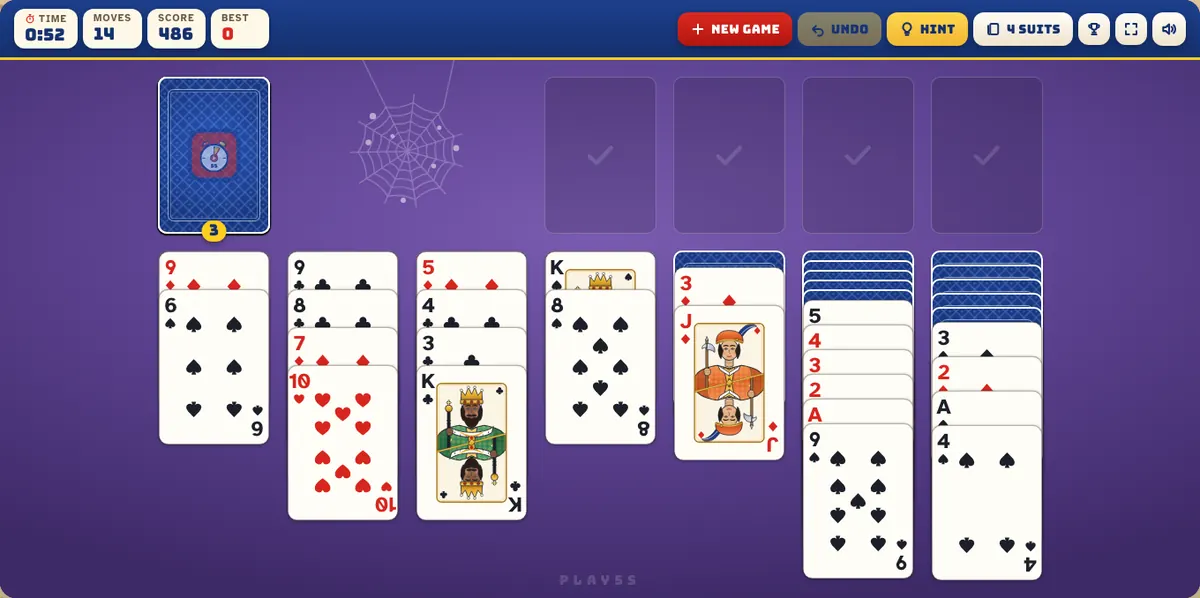
When the face-up cards leave a column, the face-down card underneath turns face up. An empty column accepts any card or any run, so emptying a column early gives you room to rearrange. No card ranks above a King, so a King can only move into an empty column. An empty column also blocks the next deal until you fill it (see the next section).
Dealing from the stock
When you have no more useful moves, tap the stock to deal one card face up onto each of the seven columns. The stock holds 24 cards, so there are three deals of seven cards and a last deal of 3 cards, which go onto the first three columns. There is no redeal: once the stock is empty, it stays empty.
Every empty column has to be filled before you can deal. BVS Solitaire says all gaps in the tableau have to be filled before the deal, Solitaire City says you must fill all empty spaces first, even if it means breaking up a sequence you have already packed, and Semicolon Software allows a deal only when no tableau is empty. Play5s follows the same rule: if a column is empty, the stock will not deal, the badge on the stock turns red and a message on the table says to fill every empty column first.
 Zoom in
Finished runs and winning
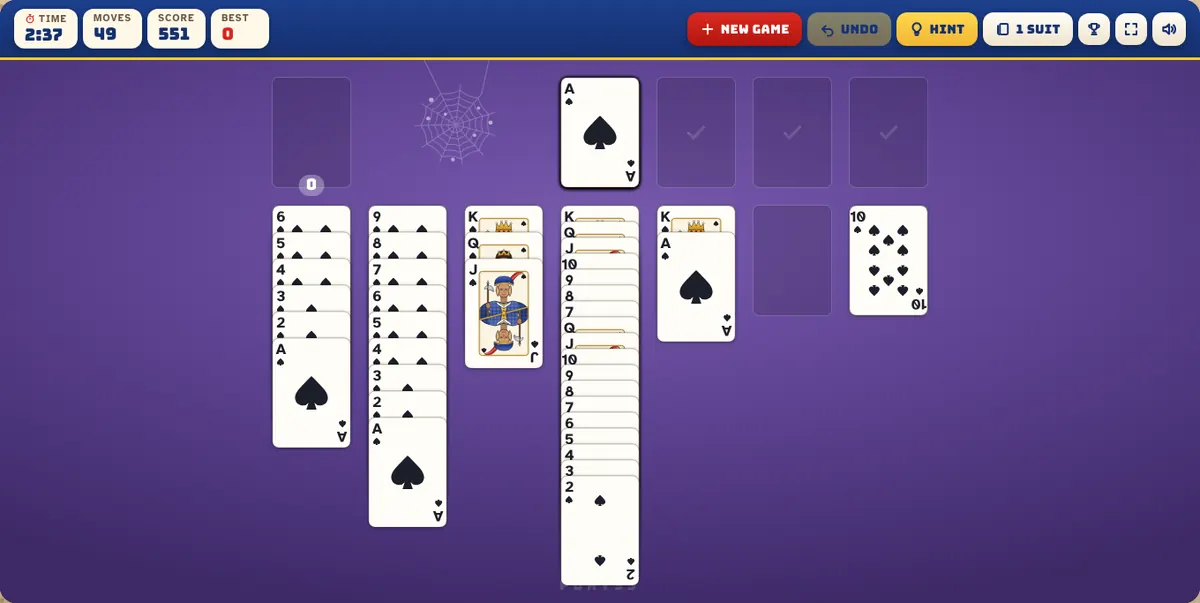
When a column ends with a complete run from King down to Ace in one suit, those 13 cards leave the table by themselves and go to one of the four spaces at the top right. That is how BVS Solitaire and Solitaire City play it; Semicolon Software lets you leave a finished run on the table for a while, and Play5s removes it at once. You win when all four runs are finished, which means all 52 cards are off the table.
 Zoom in
Spiderette with 1, 2 or 4 suits
Pick 1 suit for the easiest game, 2 suits for a harder one and 4 suits for the original Spiderette, which Solitaire City calls very difficult to win.
The original Spiderette rules use all four suits of a single deck. One-suit and two-suit versions also exist and still use 52 cards: Solitaire City describes the one-suit game as played with spades only and the two-suit game with spades and hearts, and says both make the game considerably easier.
The Play5s version offers all three. In the 1-suit game all 52 cards are spades, so you build four King-to-Ace runs of spades. The 2-suit game uses spades and hearts, 26 cards of each. The 4-suit game is a standard deck. Because only a same-suit run moves as a group and only a same-suit run leaves the table, every extra suit makes each move matter more.
The suit button in the bar above the table switches the mode and starts a new game. Your best score is kept separately for each mode, and so is each leaderboard.
How scoring works in Spiderette
Play5s scoring starts at 500 points, takes away 1 point for every move and adds 100 points for every finished run.
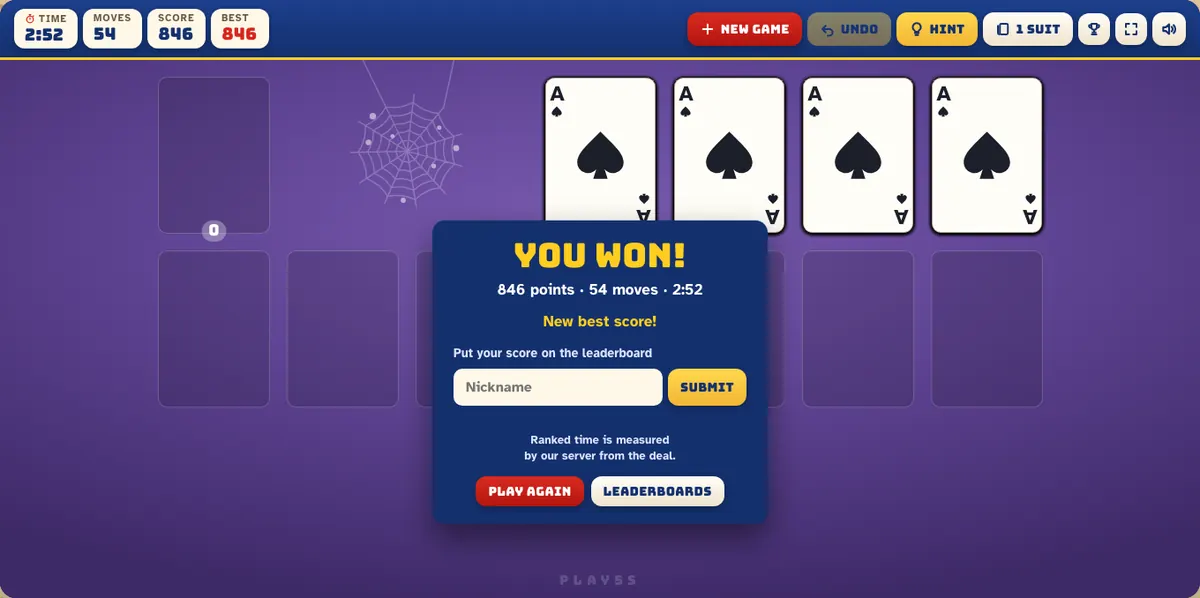
A deal from the stock counts as one move. The score never drops below 0 and there is no time bonus. Undo counts as a move too, and the move it takes back is not refunded, so taking a move back costs 2 points. A finished run that the undone move made is taken back with it, along with its 100 points. The Moves number never goes down. Winning in n moves scores 900 − n points, as long as that is above zero, with every action, Undo included, counted in n. This is the number the leaderboards rank.
Spiderette has no standard scoring, and apps differ. Solitaire City, for example, scores a finished run at 650, 780 or 910 points depending on the suit mode, adds 150 points for every face-down card turned over, takes off 1 point per second and 100 points per Undo, and adds a bonus at the end. Play5s scoring is simpler. Its starting score, the 1 point per move and the 100 points per run are the numbers Wikipedia gives for the Windows versions of Spider Solitaire, where, as here, an Undo counts as a move. When you win, your score becomes the best score for that suit mode if it beats the old one.
 Zoom in
Leaderboards and the Daily Deal
Spiderette has a leaderboard for each suit mode and a Daily Deal that is the same 1-suit deal for everyone, and both rank winning games by score.
Only won games can go on a board. Boards are ranked by score, highest first; when two scores are equal, the faster time wins, then whoever posted first. The 1-suit, 2-suit and 4-suit modes each have their own all-time board. After a win you can type a nickname of 2–12 letters or numbers and press Submit. Offensive names are refused, and no account is needed.
Your ranked time is measured by our server from the moment it dealt the game, not by the clock you see. Starting a ranked game asks our server for a deal and a ticket, and your moves and nickname are sent only when you submit a score. The server replays your moves to check the game before a score goes on the board, but no check can promise that nobody cheats. Every action counts as a move, Undo included, so Undo shows in your score (a move taken back costs 2 points), and the moves your game sends are checked the same way.
The Daily Deal
The Daily Deal is a 1-suit game dealt from a seed our server picks for the day, so everyone plays the same cards. A new one starts at midnight New York time, and it needs an internet connection because the server hands out the deal. Each connection gets one ranked Daily Deal result a day; after that, playing it again is practice.
A solver found a way to win every Daily Deal. It could see the face-down cards and the whole stock, which you cannot, so not every player will win each one.
Tips for winning Spiderette
The most useful habit is to make every useful move on the table before you deal, because a deal puts a card on top of every column.
- Look for moves before you tap the stock: a dealt card can cover a card you still wanted, a deal needs a card in every column, and the last deal puts 3 cards on the first three columns only. Solitaired's strategy notes give the same advice about checking the table first.
- Build in one suit whenever you have a choice. Solitaire City warns that otherwise the game blocks quickly, and Semicolon Software points out that in-suit builds can be moved while mixed-suit builds cannot.
- Make empty columns, but know what will fill them. Semicolon Software's tips say the more empty piles you can create and keep, the better, because an empty column takes any card or run; the rule is that every empty column must be filled before the next deal.
- Uncover face-down cards early. Semicolon Software lists it as a tip, and the Hint button prefers a move that turns a card over.
- Plan for your Kings: nothing ranks above a King, so a King that is not at the bottom of a column needs an empty column to move into.
- Use Undo when you really need it, and know the price: it counts as a move and the move it takes back is not refunded, so each Undo costs 2 points, and a deal cannot be taken back. Hint is free and shows a move and the column it goes to.
Spiderette controls: tap, drag or keyboard
Tap a card to send it to a column where it fits, or drag it to the column you want.
A tap sends a card, or the run starting at that card, to a column whose top card is one rank higher, preferring a column of the same suit. If no column fits it goes to an empty column, and if there is nowhere to go the card gives a small shake. Only cards you can legally pick up respond: face-down cards and cards under a suit break do not.
Dragging works with a mouse, a finger or a stylus. Drop the card or run near the column you want; if the move is not allowed, the cards slide back. Tap the stock, or press D, to deal a row.
Buttons
Undo takes back your last move, and you can keep pressing it to go back move by move to the last deal, even after you reload the page. A deal cannot be taken back: the button looks greyed out and says so. Undo counts as a move, so it costs points (see scoring). Hint highlights a useful move and the column it goes to, or the stock when dealing is the best option; when a column is empty it points at the empty column instead, because the stock cannot be dealt yet. New game deals a fresh hand in the same suit mode, and the suit button switches between 1, 2 and 4 suits and starts a new game; both ask first if a game is in progress, and Esc keeps your game. The full screen button hides everything except the table; press it again, or Esc, to come back. The bar above the cards shows your time, moves, score and best score, and the trophy button opens the leaderboards. The gear (Settings) button opens a panel with two switches: sound effects for dealing, moving and finishing a run (on at first) and a quiet background music loop (off until you turn it on); both choices are remembered for every Play5s game. The same panel lets you pick the language of the game’s own words, and the M key mutes or unmutes the sound effects. If no card can move and no deal is possible (the stock is empty, or a column is empty that nothing can fill), a No moves left message appears on the table with Undo and New game, and the timer stops.
Keyboard
On a computer you can play without the mouse. Tab takes you to the stock and then to a card, and the arrow keys move between cards: left and right between columns, up and down inside a column. Press Enter or Space on a card to pick it up, along with the cards on top of it. The column a tap would choose is lit in blue; the left and right arrows, or the keys 1 to 7, step through the other columns it can go to, and Enter puts it down. Press Enter twice to make the usual move, and Escape puts the card back. On the stock, Enter or Space deals a row.
- Arrow keys: move between cards (left and right: columns, up and down: inside a column)
- Enter or Space: pick up a card, then put it down
- D: deal a row from the stock
- U or Ctrl+Z: undo (counts as a move; a deal cannot be taken back)
- H: show a hint
- N: start a new game (asks first when a game is in progress)
- F: full screen on or off
- M: sound effects on or off
- Esc: put a card back, keep your game, or leave full screen
Spiderette terms
Spiderette uses a handful of words for the parts of the table, most of them shared with Klondike and Spider.
- Tableau: the seven columns where the game is played.
- Stock: the 24 cards left after the deal, dealt out one card per column at a time.
- Deal: tapping the stock to put one card face up on each column (the last deal has 3 cards).
- Run: face-up cards of one suit in unbroken descending order, the only kind of group you can move.
- Finished run: a run from King to Ace in one suit, which leaves the table.
- Empty column: a column with no cards. It accepts any card or run, and it blocks the next deal until it is filled.
Spiderette and Spider Solitaire
Spiderette is the one-deck relative of Spider Solitaire, played with the same building rules on a Klondike-style layout.
Wikipedia describes Spider as a two-deck game: 54 cards are dealt into ten piles, the remaining 50 are dealt ten at a time, and eight foundation piles must be filled to win. It describes Spiderette as the variant with only one pack and a Klondike layout of seven stacks of 1 to 7 cards.
Sources disagree on how hard that makes it. Solitaire City says the single deck makes Spiderette a lot easier to win and quicker to play than Spider, while Semicolon Software's rules say it is harder to win than Spider, and PySolFC's rules call it "very hard". Solitaired reports 3 wins in 205 random games on its own Spiderette.
Wikipedia also lists Will o' the Wisp, a game played the same way as Spiderette except that 21 cards are dealt at the start into seven columns of three, with only the top card of each column face up. Solitaired lists Klondike and Scorpion, along with Easthaven, as similar games that combine rules from Spider and Klondike. Spider itself comes in 1, 2 and 4 suit versions in the Windows software, and Spiderette has the same three modes here.
Where the Spiderette rules come from
The rules on this page follow six published descriptions of Spiderette and Spider, read on 21 November 2026; where they differ, the text says what the Play5s version does.
- BVS Solitaire: Spiderette rules
- Solitaired: How to play Spiderette
- Solitaire City: Spiderette and Spiderette scoring
- Semicolon Software: Rules for Spiderette
- Wikipedia: Spider (solitaire)
- PySolFC: Spiderette rules
Spiderette questions
What is Spiderette Solitaire?
Spiderette is a one-player card game that plays like Spider Solitaire but uses one 52-card deck. You deal the cards into seven columns, build runs from King to Ace in one suit, and each finished run leaves the table. You win when all four runs are done.
How is Spiderette different from Spider Solitaire?
Spider uses two decks dealt into ten piles; Spiderette uses one deck dealt into seven columns of 1 to 7 cards, like Klondike. The building and moving rules are the same: build down in any suit, move only same-suit runs.
How many cards are dealt and how many deals are there?
The opening deal puts 28 cards on the table and leaves 24 in the stock. Each deal puts one card on each column, so you get three deals of seven cards and a last deal of 3 cards that go on the first three columns.
Can I deal when a column is empty?
No. Every empty column has to be filled before you can deal, as BVS Solitaire, Solitaire City and Semicolon Software describe, and as in Spider Solitaire on Play5s. The stock shows a red badge and a message while a column is empty.
Which cards can I move together?
A run: face-up cards of one suit in unbroken descending order, such as the 9, 8 and 7 of spades. You can always move a single card, and an empty column accepts any card or run.
Is Spiderette hard to win?
It can be. Solitaire City says the four-suit game is very difficult to win, Semicolon Software says Spiderette is harder to win than Spider, and PySolFC calls it very hard. Solitaired reports 3 wins in 205 random games on its own Spiderette; that is its count, not a Play5s statistic. The 1-suit and 2-suit modes are easier.
Which suit mode should I start with?
Start with 1 suit. Only a same-suit run moves as a group, so with one suit every descending run can be moved. Move up to 2 suits and then 4 suits when that feels comfortable.
How does scoring work in Spiderette?
Play5s scoring starts at 500 points, subtracts 1 point per move (a deal counts as a move) and adds 100 points per finished run, never going below zero. Undo counts as a move and the move it takes back is not refunded, so each Undo costs 2 points.
What is the Daily Deal?
A 1-suit game that is the same for every player on a given day, so you can compare your result with everyone else. A new one starts at midnight New York time, and it needs an internet connection. You get one ranked result per connection each day. A solver found a way to win every Daily Deal, but it could see the face-down cards and the stock, which you cannot, so not every player will win.
Is there a Spiderette leaderboard?
Yes. There is a board for the Daily Deal and an all-time board for each suit mode, and they rank winning games by score. After a win, type a nickname of 2–12 letters or numbers and press Submit; no sign-up is needed. Ties go to the faster time, which our server measures from the deal.
Can I undo a deal?
No. Undo takes back moves, one at a time, back to the last deal, but a deal cannot be taken back, because it shows new cards. The Undo button looks greyed out and says so. Every Undo counts as a move and costs points.
Does the game save my progress?
Yes. Your current game, moves, time and best scores are saved in this browser on this device, so you can close the page and pick up where you left off. Undo still works after you come back. Clearing your browser data removes the saved game.
Is Spiderette free, and can I play it on my phone?
Yes to both. It is free to play in your browser with no download and no account, and the table fits phone screens in portrait mode. Tap a card to move it, or drag it with your finger.
About this version
This Spiderette Solitaire was built by Play5s to run in any modern web browser. It deals a new shuffled hand every game and lets you choose 1, 2 or 4 suits. It follows the rules on this page and scores with the Play5s scoring described above. The cards, including the Jacks, Queens and Kings, are drawn by Play5s.
There is nothing to install and no account to create. Your game in progress and your best scores stay in your browser. Starting a ranked game asks our server for a deal and a ticket, and your moves and nickname are sent only when you submit a score to a leaderboard. Like the rest of Play5s, it counts anonymous usage events such as a game starting or being won; the privacy page has the details.
Read more about Play5s, or see all of our free solitaire games.