
On this page
How to play chess
To play chess, you and your opponent take turns moving one piece at a time, each piece in its own pattern, until one king is checkmated or the game is drawn. White always makes the first move.
The board and the starting position
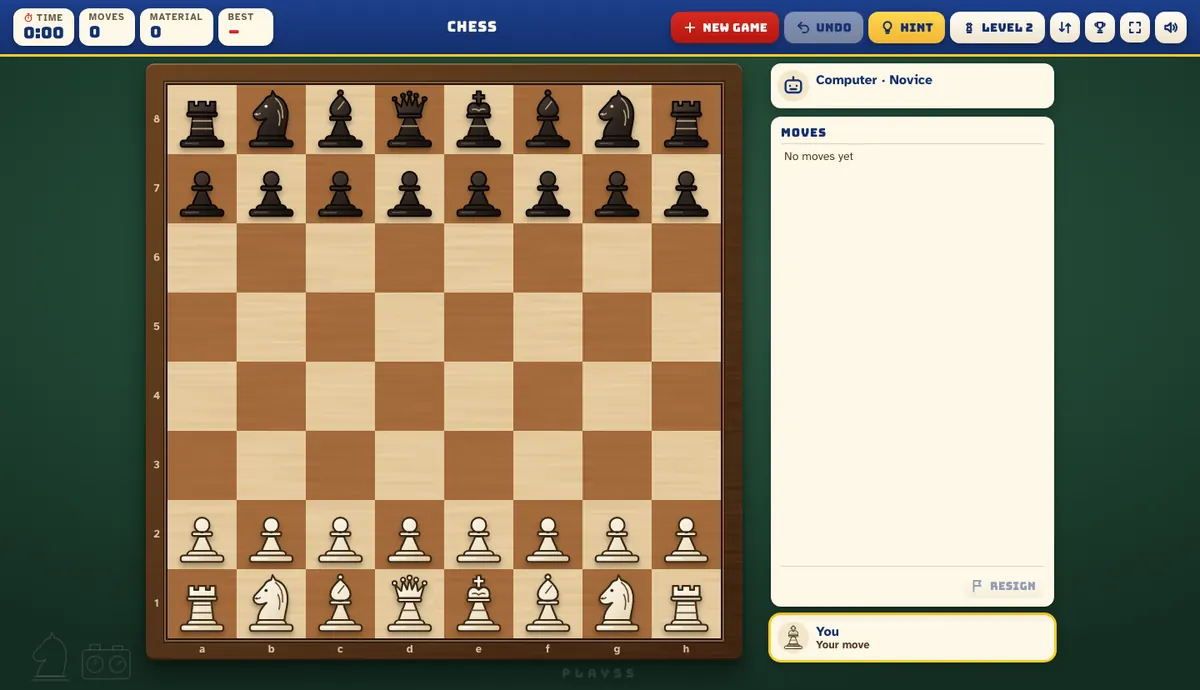
The board has 64 squares in eight rows (ranks, numbered 1 to 8) and eight columns (files, lettered a to h). It is placed so that each player has a light square in the near right-hand corner, which is the first rule of setting up in the FIDE Laws of Chess.
Each side starts with sixteen pieces: one king, one queen, two rooks, two bishops, two knights and eight pawns. The pawns fill the second rank. On the first rank the rooks stand in the corners, then the knights, then the bishops, and the queen stands on the square of her own colour (the white queen on d1, the black queen on d8), next to the king.
 Zoom in
How each piece moves
Every piece except the knight moves along straight lines and stops when another piece is in the way. You capture an enemy piece by moving onto its square, and the captured piece leaves the board. You can never capture your own piece, and you can never make a move that leaves your own king attacked.
The values in the table are the usual way players count material, as Wikipedia gives them. They are a guide, not a rule; the king has no value because losing it ends the game. In the Play5s version the Material box in the bar above the board shows your lead in these points.
| Piece | How it moves | Value | Each side has |
|---|---|---|---|
| King | One square in any direction; also castles (below) | — | 1 |
| Queen | Any number of squares in a straight line: along a rank, a file or a diagonal | 9 | 1 |
| Rook | Any number of squares along a rank or a file | 5 | 2 |
| Bishop | Any number of squares along a diagonal, so it stays on one square colour | 3 | 2 |
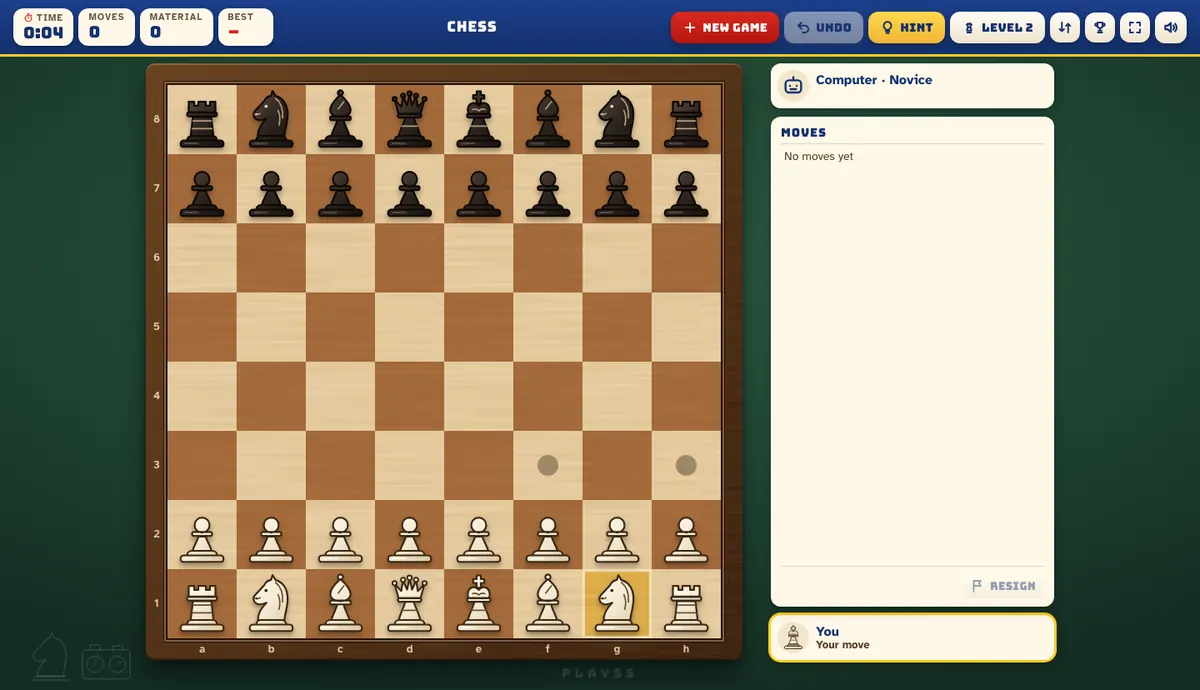
| Knight | In an L: two squares one way and one square to the side; it jumps over pieces | 3 | 2 |
| Pawn | One square straight ahead, or two from its starting square; captures one square diagonally forward | 1 | 8 |
 Zoom in
Check
A king that is attacked is in check, and the player whose king it is must get out of check on the next move: move the king, capture the attacking piece, or put a piece between them. In the Play5s version the king in check glows red and the player bar says Check!, and only the moves that end the check can be played.
Castling, en passant and promotion
Chess has three special moves: castling (king and rook move together), en passant (a pawn capture just after a two-square pawn move) and promotion (a pawn that reaches the last rank becomes another piece). All three work in the Play5s version exactly as the FIDE Laws describe them.
Castling
Castling moves the king two squares toward one of its rooks, and that rook jumps over to the square the king crossed. Castling kingside (with the h-rook) puts the white king on g1 and the rook on f1; castling queenside (with the a-rook) puts the king on c1 and the rook on d1.
FIDE 3.8.2 sets the conditions. You can no longer castle once the king has moved, or with a rook that has moved. You cannot castle for now if a piece stands between the king and the rook, if your king is in check, or if the king would cross or land on a square that an enemy piece attacks. To castle here, move the king two squares (tap it, then the dot two squares away).
 Zoom in
En passant
When a pawn moves two squares from its starting square and lands next to an enemy pawn, that enemy pawn may capture it as if it had moved only one square: it moves diagonally to the square the pawn passed over and removes it. The capture is allowed only on the very next move; after that the chance is gone. The name is French for "in passing".
Promotion
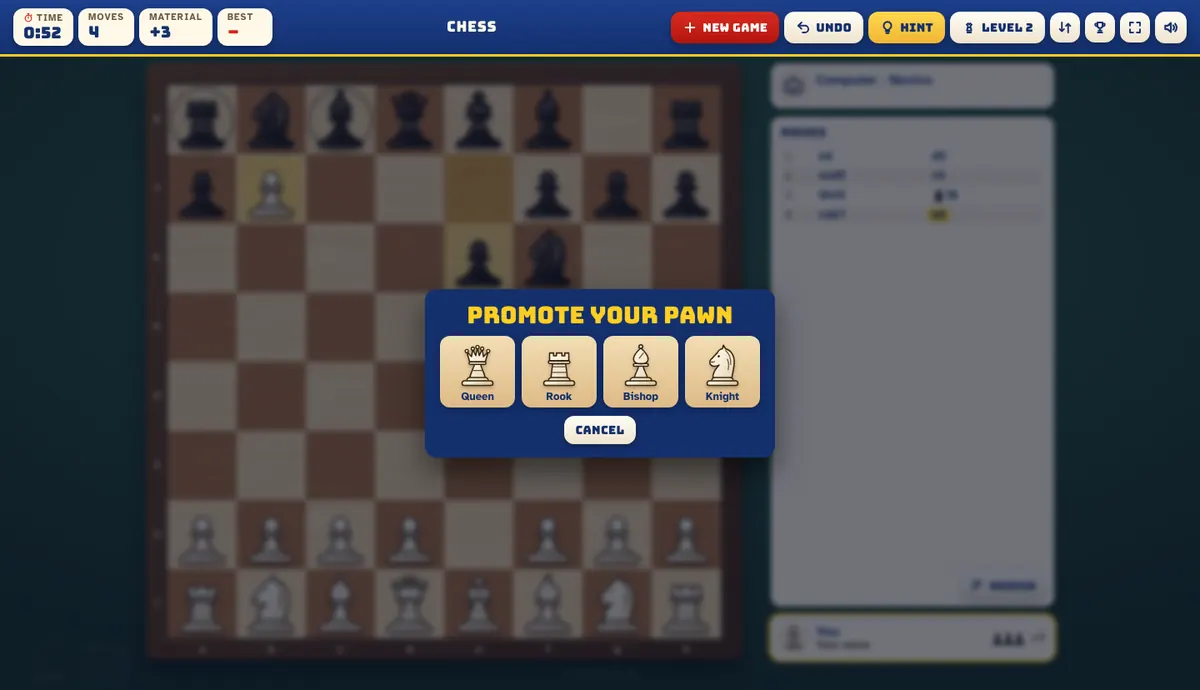
A pawn that reaches the far rank (the 8th rank for White, the 1st for Black) is exchanged, as part of the same move, for a queen, a rook, a bishop or a knight of the same colour. The choice does not depend on the pieces that were captured, so a player can have two queens or more. Most players choose a queen; a knight is sometimes better because it gives check at once.
In the Play5s version a box with the four pieces opens when your pawn arrives. Keyboard players can press Q, R, B or N, and Escape puts the pawn back. The computer promotes too, and its search picks the piece.
 Zoom in
How a chess game ends: checkmate and draws
A chess game is won by checkmate, when the king in check has no legal move left to escape, or when the other player resigns; it is drawn by stalemate, by a dead position, by threefold repetition or by the fifty-move rule.
Checkmate and resigning
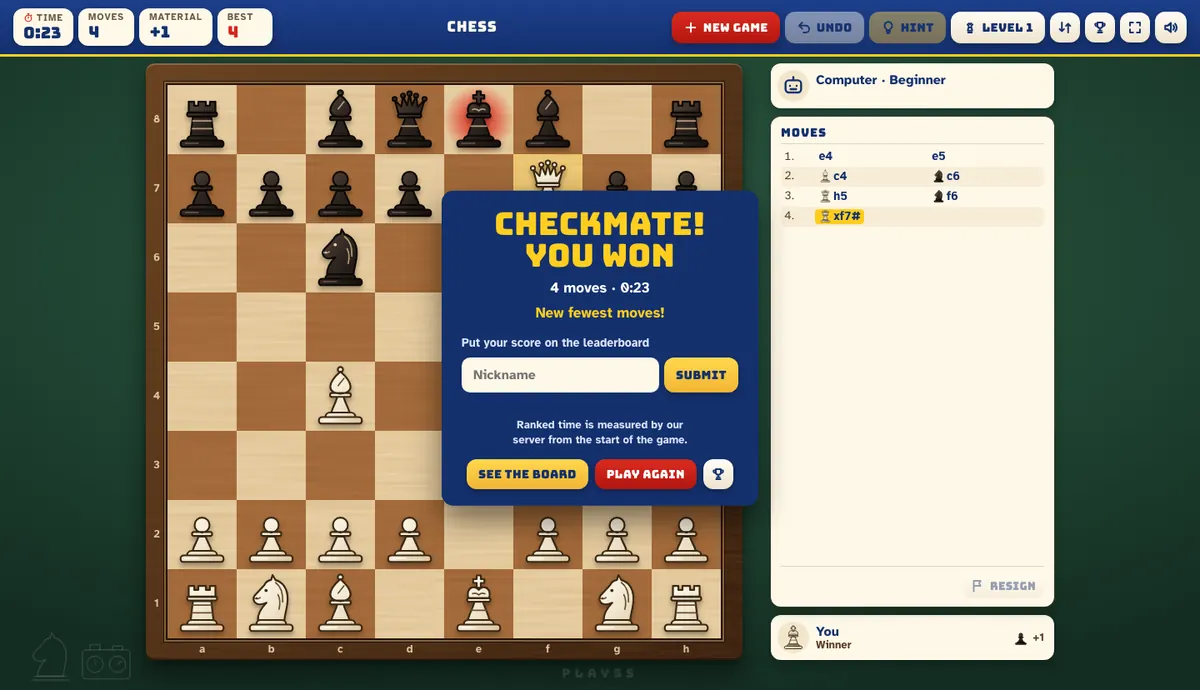
Checkmate ends the game at once (FIDE 5.1.1). The fastest possible checkmate takes two moves by Black, and a well-known one for beginners, the four-move "scholar's mate", ends with the queen taking on f7 next to the king. In the Play5s version the end panel names the result, counts your moves and shows the time.
You can also stop a game by resigning: the Resign button beside the move list asks first, then ends the game as a loss. Resigning is only for games against the computer; in a game for two players you simply start a new one.
 Zoom in
Draws
Stalemate is a draw: the player to move has no legal move and is not in check (FIDE 5.2.1). A dead position, in which no series of legal moves can checkmate, is also a draw (FIDE 5.2.2). The Play5s version recognises the usual cases of not enough material: king against king, king and one bishop or one knight against king, and positions where only bishops are left and all of them stand on squares of one colour.
Under FIDE 9.2 and 9.3 a player may claim a draw when the same position appears for the third time, or after fifty moves by each side without a capture or a pawn move; a fifth repetition or 75 such moves end the game without a claim (9.6). Wikipedia notes that chess servers handle repetitions differently. The Play5s version declares both draws automatically, at the third repetition and at the fiftieth move, so nobody needs to know how to claim; a checkmate on that move still counts first.
The computer opponent: six levels
The Play5s computer plays at six levels, from Level 1 (Beginner), which looks only one move ahead and makes human mistakes on purpose, to Level 6 (Expert), which searches up to seven half-moves deep. You pick the level and your colour on the start screen before each game.
At every level the computer chooses its move by searching the moves that follow (an alpha-beta search with a closer look at captures) and scoring the positions with material and piece-square tables. Its first moves come from a list of common openings, so it opens like a person would. Each level has a fixed amount of searching, and its small random choices come from the game itself, so the same position in the same game always gets the same reply: that is what lets our server check a ranked game.
The lower levels are weak on purpose. They see less, they add a random bonus to some moves, and now and then they make a real mistake such as leaving a piece where it can be taken. A deliberate mistake is never a move that allows checkmate in one, but Level 1 looks so little ahead that it can still miss a mate threat. The computer thinks in the background of the page, so the board keeps moving while it searches; the bar on its side says Thinking.
| Level | Name | Search | Mistakes on purpose |
|---|---|---|---|
| 1 | Beginner | 1 half-move + captures | about 3 moves in 10 |
| 2 | Novice | 2 half-moves + captures | about 15 moves in 100 |
| 3 | Casual | 3 half-moves + captures | about 7 moves in 100 |
| 4 | Club player | 4 half-moves + captures | about 2 moves in 100 |
| 5 | Strong | 5 half-moves + captures | none |
| 6 | Expert | up to 7 half-moves + captures | none |
 Zoom in
Game modes: computer, two players and colours
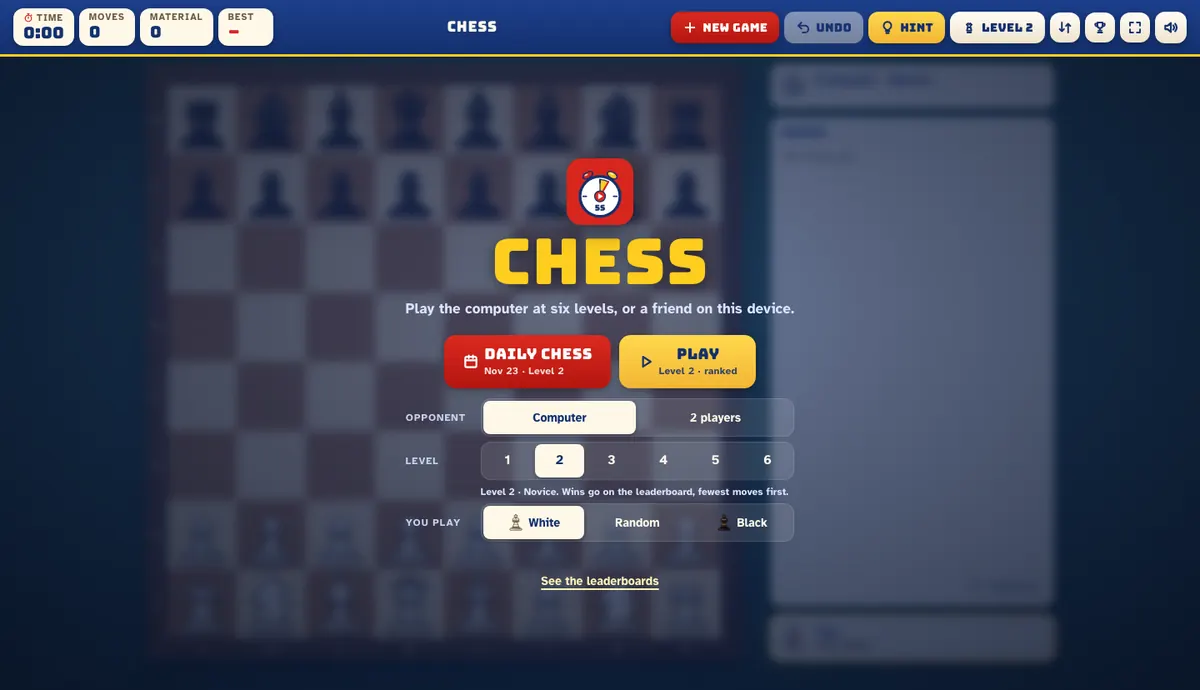
You can play chess against the computer with White, with Black or with a random colour, or play two players on one device, taking turns at the same screen.
Against the computer your colour is at the bottom of the board; with Black the computer makes the first move. In a game for two players White is at the bottom, both sides use the same controls, and the bars show White and Black instead of You and Computer. The flip button turns the board round at any time, and Undo takes back one move in a game for two players, or your last move and the computer's reply in a game against the computer.
Hint asks the computer for a careful suggestion and marks the piece and its square in blue. In a game against the computer each Hint and each Undo counts as one move in the Moves box, which never goes down, so the move count stays honest for the leaderboard.
Daily Chess and leaderboards
Daily Chess is one game a day, the same for everyone: Level 2, starting from that day's opening, with the colour the day gives you. Every level also has an all-time leaderboard, ranked by the fewest moves in a win.
The day's opening comes from a list of well-known lines (the Italian Game, the Sicilian Defence, the Queen's Gambit and others) and its moves are already played when the game starts; they appear in grey italics in the move list and cannot be taken back. The day changes at midnight New York time. Daily Chess needs a connection, because our server hands out the day's game, and each connection gets one ranked Daily result per day; another win that day is practice.
Only a game you win by checkmate goes on a board, ranked by the fewest moves (your moves plus every Undo and Hint); a tie goes to the faster time, then to whoever posted first. The time is measured by our server from the start of the game. You only need a nickname of 2 to 12 characters, offensive names are refused, and there is no account. Starting a game against the computer asks our server for a game ticket; your moves and nickname are sent only when you submit a score, and the server replays the game move by move, recomputing every computer move, before it is ranked. A win far longer than usual at the top levels can be too long for the server to recheck, and is then not ranked.
Reading the move list: chess notation
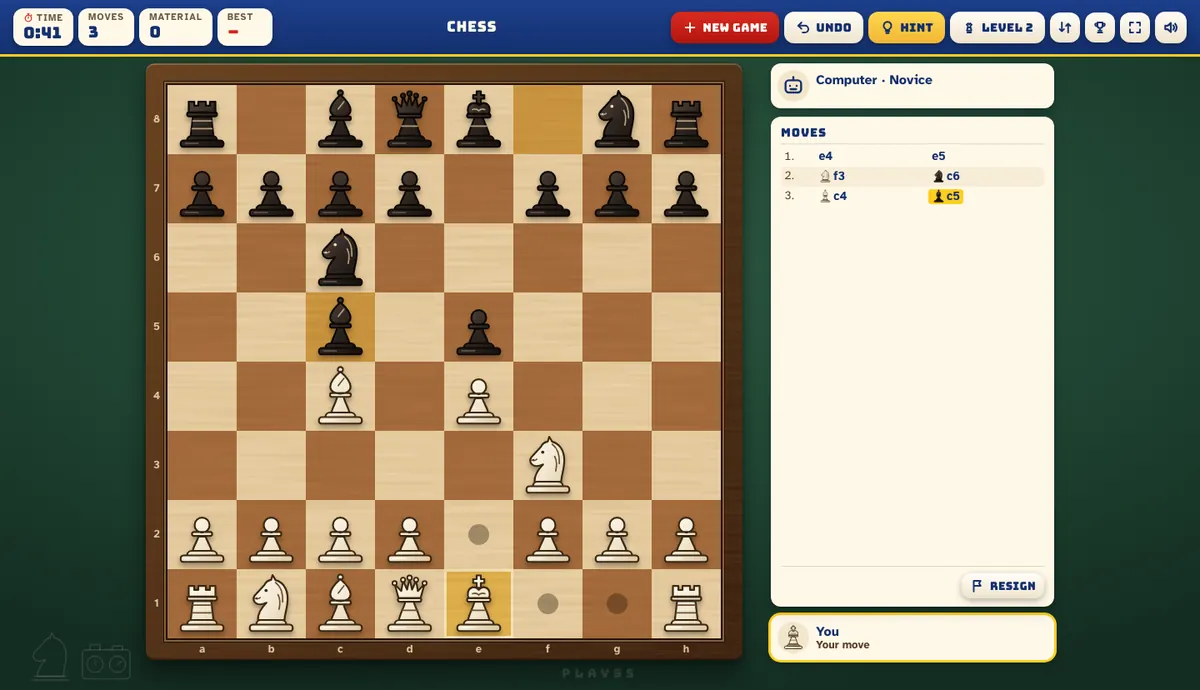
The move list uses algebraic notation, the standard notation of FIDE: the piece that moves, then the square it moves to. Each numbered row holds one move by White and the reply by Black.
In the list each piece is shown as a small picture instead of a letter (figurine notation), so the list reads the same in every language. A pawn move has no piece in front, so e4 means a pawn moves to e4. In written English notation the pieces are K for the king, Q for the queen, R for a rook, B for a bishop and N for a knight, so Nf3 means a knight moves to f3; the Hint names its move that way.
An x marks a capture (Bxf7, or exd5 for a pawn from the e-file), + marks check and # marks checkmate. O-O is castling kingside and O-O-O castling queenside, and e8=Q is a pawn promoting to a queen. When two pieces of the same kind could move to the same square, the move adds the file or the rank they start from, as in Nbd2 or R1e2. The newest move is highlighted in yellow. On a computer the list fills the side panel; on a phone it is the strip under the board, and it scrolls to the latest move by itself.
Chess tips for beginners
To win more games, control the centre, bring your knights and bishops out early, castle to keep your king safe, and before every move check what the other side threatens.
- Control the centre. Pawns and pieces on d4, e4, d5 and e5 reach more squares, which is why most openings start with a centre pawn.
- Develop before you attack. Move each knight and bishop once before moving the same piece twice or bringing the queen out early.
- Castle early. A castled king sits behind its pawns, and the rook comes toward the centre.
- Count before you capture. Compare what you take with what you may lose; the Material box shows who is ahead.
- Look for checks, captures and threats on every move, yours and the computer's. Most games at the lower levels are decided by a piece left unprotected.
- Learn the basic mates: king and queen against king, and king and rook against king. They are the most common way to finish a won game.
- Use Hint and Undo to learn, then play without them when you want a good score on the leaderboard.
Controls
You can move by tapping a piece and then a square, by dragging the piece, or with the keyboard alone.
- Tap or click one of your pieces, then a dot (a ring for a capture). Tap the piece again to drop the selection.
- Drag a piece onto its square; dropping it anywhere else puts it back.
- Keyboard: the arrow keys move around the board, Enter or Space picks a piece and puts it down, and Escape cancels. N starts a new game, U undoes, H asks for a hint, R flips the board, F switches full screen and M turns the sound on or off.
- The game in progress, your options and your best results are saved in this browser on this device, so you can close the page and continue later. Clearing your browser data removes them.
Where chess comes from
Chess grew out of chaturanga, a game recorded in India in the 7th century, and its modern rules took shape in Europe at the end of the 15th century, according to Wikipedia.
The rules became standard and were accepted everywhere by the end of the 19th century. FIDE, the International Chess Federation, was founded in 1924 around the first, unofficial chess Olympiad in Paris and took up the task of standardising the rules in 1928; its Laws of Chess are the rules played in competitions today. The Staunton design is the usual shape of the pieces, and the Play5s set is drawn in that classic style.
Chess terms
These are the chess words used in the game and on this page.
- Rank / file: a row (1 to 8) / a column (a to h) of the board.
- Check / checkmate: the king is attacked / the king is attacked and cannot escape, which ends the game.
- Stalemate: the player to move has no legal move and is not in check; the game is a draw.
- Castling: the king moves two squares toward a rook and the rook jumps over it.
- En passant: a pawn capturing an enemy pawn that has just moved two squares past it.
- Promotion: a pawn reaching the last rank becomes a queen, rook, bishop or knight.
- Material: the pieces each side has, often counted as pawn 1, knight 3, bishop 3, rook 5, queen 9.
- Half-move: one move by one player; a search of four half-moves looks at two moves by each side.
Where the rules come from
The rules on this page follow the FIDE Laws of Chess, in force since 1 January 2023, and four Wikipedia articles, read on 23 November 2026; every choice that is specific to Play5s is listed here.
- FIDE Laws of Chess (opens in a new tab): how the pieces move (Article 3), castling (3.8.2), en passant (3.7.3.1–2), promotion (3.7.3.3–4), checkmate (5.1.1), stalemate and dead positions (5.2), threefold repetition and the fifty-move rule (9.2, 9.3, 9.6).
- Wikipedia: Rules of chess (opens in a new tab), Threefold repetition (opens in a new tab) and Fifty-move rule (opens in a new tab): the same rules in plain words, and how chess servers handle draws.
- Wikipedia: Chess (opens in a new tab): the history, the piece values and algebraic notation.
- Draws by repetition and by the fifty-move rule: FIDE needs a claim, Play5s declares them automatically at the third repetition and at fifty moves.
- Dead positions: Play5s declares the usual cases of not enough material (listed above); king and two knights against a king is played on, because a mate is still possible.
- There is no chess clock and no draw offer; the bar above the board times the game for the Daily Chess and the leaderboards.
Chess questions
Can I play chess against the computer for free?
Yes. This chess game is free, runs in your browser and needs no download and no account. Choose a level from 1 (Beginner) to 6 (Expert) and your colour, then press Play.
What is the easiest chess level?
Level 1, Beginner. It looks only one move ahead and makes a deliberate mistake about three moves in ten, so it is the right place to learn the moves and your first checkmates.
Can two people play chess on one device?
Yes. Choose 2 players on the start screen. White starts at the bottom, you take turns at the same screen, and the flip button turns the board for the other player if you like.
How does castling work?
The king moves two squares toward a rook and that rook jumps to the other side of the king. Neither piece may have moved before, the squares between them must be empty, and the king may not be in check, cross an attacked square or land on one.
What is en passant?
A pawn that has just moved two squares and landed beside an enemy pawn can be captured by that pawn as if it had moved one square. The capture must be made on the very next move.
What can a pawn promote to?
A queen, a rook, a bishop or a knight of its own colour, whichever you choose, even if that piece is still on the board. The Play5s version opens a box with the four pieces.
What is the difference between checkmate and stalemate?
In checkmate the king is in check and has no way out, and that player loses. In stalemate the player to move has no legal move but is not in check, and the game is a draw.
Does the game draw automatically after three repetitions?
Yes. FIDE lets a player claim a draw at the third repetition or after fifty moves without a capture or a pawn move; the Play5s version declares both draws by itself.
Does the computer cheat or see my moves in advance?
No. It only sees the position on the board and the moves played so far, and it decides by searching ahead. The same position in the same game always gets the same reply.
What is Daily Chess?
One game a day, the same for everyone: Level 2 from the day's opening and with the day's colour. It changes at midnight New York time, needs a connection, and each connection gets one ranked result per day.
How do the chess leaderboards work?
Each level has an all-time board and Daily Chess has a board for the day. Only wins by checkmate count, ranked by the fewest moves, where every Undo and Hint adds a move. You only need a nickname.
Does the game save my progress?
Yes. The game in progress, your options and your best results are saved in this browser on this device. Only a game you choose to submit to a leaderboard is sent to our server, with your nickname.
About this version
This chess game was built by Play5s to run in any modern web browser. The rules engine is written for this game and checked against the standard move-count tests of the Chess Programming Wiki (opens in a new tab), and the pieces are an original Staunton-style set drawn by Play5s.
There is nothing to install and no account to create. Your game in progress and your best results are kept in your browser on this device. Starting a game against the computer or Daily Chess asks our server for a game ticket; your moves and nickname are sent only when you submit a score to a leaderboard.
The page gives the rules as the FIDE Laws of Chess describe them, and the choices that are specific to this version are listed in the section on where the rules come from.
Read more about Play5s, or see all of our free online board games.